Parts Vault
Parts Vault
Keep your parts safe, ready to (re)order when you are.
Parts Vault
Keep all your parts safe, ready to order when you are. Vault preserves your designs, previews and their technical info – with no practical limit on number of parts.
What It Does
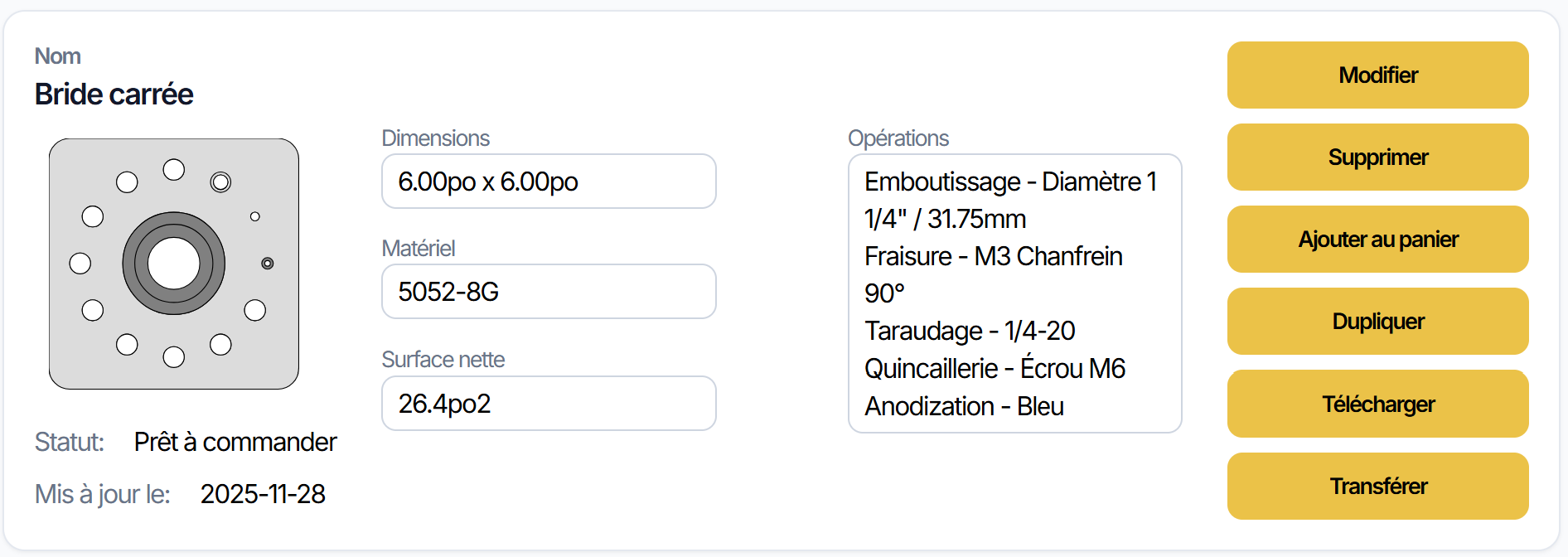
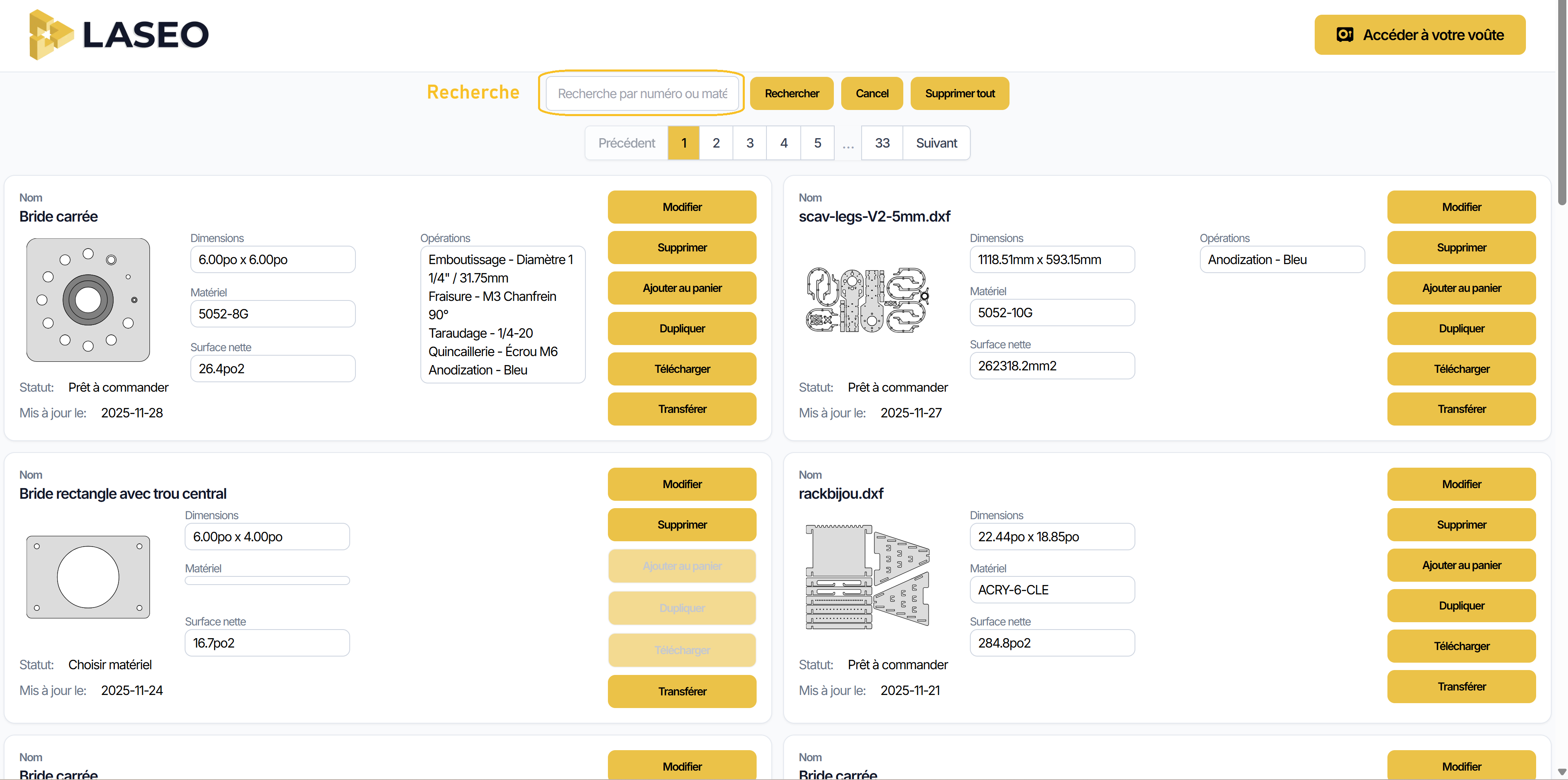
Everything you create in app is saved in your vault. Each part displays preview and key data (width, height, net area, cut perimeter, dates).
Order, re-order, modify, add to cart, download, transfer or delete – directly from vault.
Guest Access vs Account
Guest: we keep your parts 7 days.
Need to keep them longer? Create free account: laseo.ca/app/Identity/Account/Register
Preview + Technical Details
See thumbnail of each part and its measurements (area, perimeter, dates). Perfect to validate at a glance.
Order or Re-order in 1 Click
Ready to produce? Launch order directly. For repetitive part, use Re-order to save time.
Modify a Design
Reopen part, adjust what's needed and save. Your vault always keeps updated version.
Add to Cart
Group multiple parts to prepare kits or projects and place batch order.
Download
Retrieve each part's file as needed (internal archives, client documentation, etc.).
Transfer
Move part to another account or team when relevant for collaboration.
Search and Navigation
Quickly find part by number or material. Navigate by pages if your library is large.
Security & Peace of Mind
Vault is secure space, accessible anytime from app. No practical limit on number of designs you keep (normal usage).
How It Works (Quick)
- Create part in application.
- It automatically appears in your vault with preview and info.
- From card, choose action: Order, Modify, Add to Cart, Download, Transfer or Delete.
Express FAQ
How long do my parts stay if I'm guest?
7 days. Open free account to keep them without limit.
Can I have sets for a project?
Yes. Use Add to Cart to group your parts and order in one pass.
Is there limit on parts in vault?
You can keep as many designs as you want (normal usage). If we see you have enough parts to send entire satellite into orbit, we'll message you to see how we can better serve you!
Access Your Vault
Tip: give clear names to your parts (project-client-material) to find them even faster with search.
Access Your Vault